PC stats over Wi-Fi
Local
- Works from
- The same Wi-Fi
- Set up
- Nothing
- Speed
- Instant, straight from the PC
- Where the readings go
- They never leave your network
Not encrypted on the local network, so use it on a network you trust.
PC hardware monitor for Android
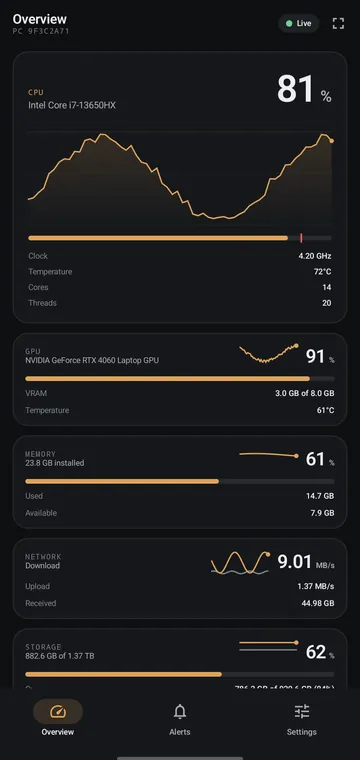
SysWatch is a PC monitor for your phone. A small Windows app reads your CPU and GPU load and temperature, memory, network, storage and battery. Your Android phone shows them live, like a system monitor you can carry around, and tells you when one crosses a limit you set.
Free. No ads. No account.
What you see
Cards for CPU, GPU, memory, network, storage, battery and uptime, each with its own history graph. SysWatch only shows real readings: if your PC does not report something, it is left out.
Alerts
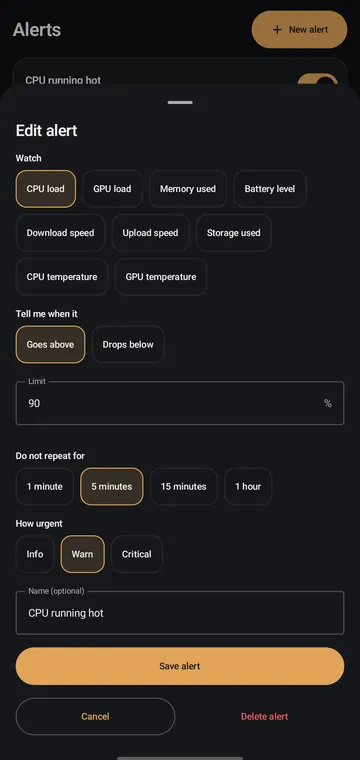
Set a limit on any gauge. Your phone tells you when it is crossed, so you can watch CPU and GPU temperature on your phone without staring at it.
Look and layout
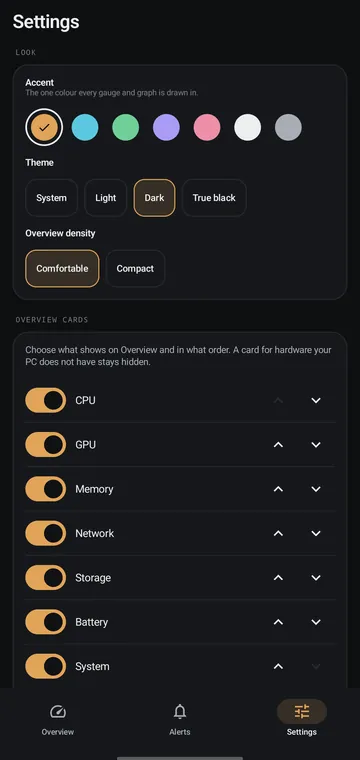
Pick an accent and a theme, then put the cards in your order. It stays one calm panel either way.
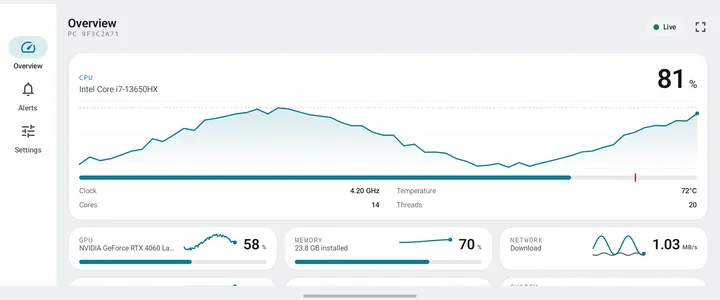
Standby
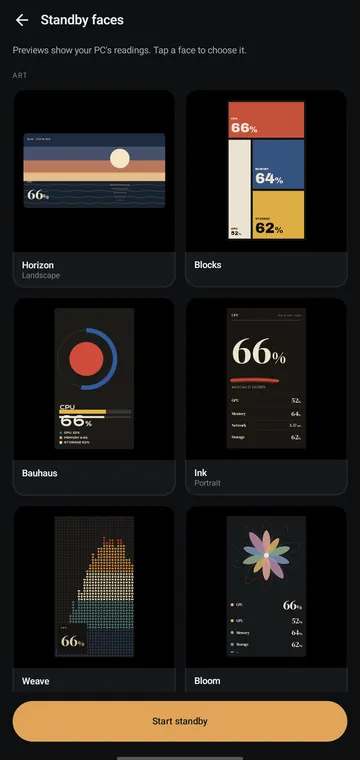
Stand the phone next to your keyboard and it becomes a second screen for your PC stats: 24 always-on standby faces, 16 instruments and 8 art faces, in portrait and landscape.
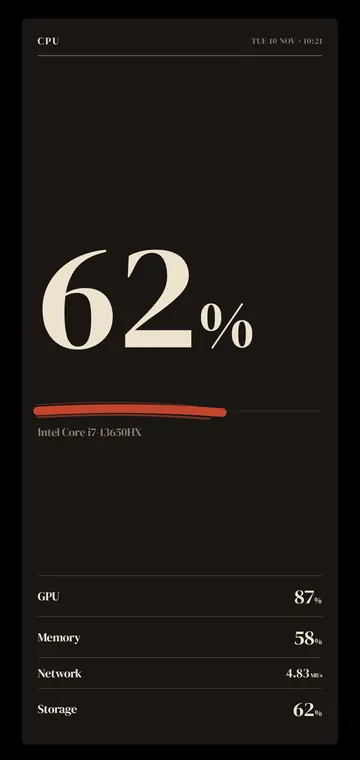
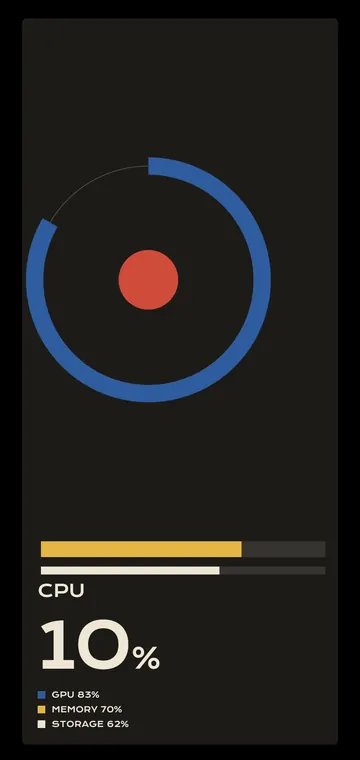
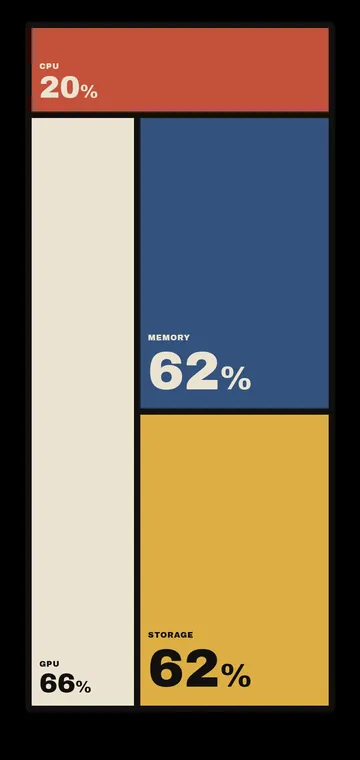
Connection
Both apps ask the same question the first time they open. Pick the same answer on each. You can change it later in Settings.
PC stats over Wi-Fi
Not encrypted on the local network, so use it on a network you trust.
From anywhere
Readings and your phone’s name pass through the relay. You never enter any server details.
Private, from anywhere
Tailscale encrypts the link. It is a separate app with a free personal plan. Tailscale setup guide
Not sure? Pick Local if the phone usually sits near the PC. Local and Tailscale need the latest version of both apps.
Set up
No account and nothing to type: the QR code carries everything the phone needs.
Download the Windows installer and run it. The installer is not code signed yet, so Windows SmartScreen shows a warning: choose More info, then Run anyway. SysWatch then sits in the system tray.
Get SysWatch on Google Play and open it.
Open Pairing on the PC and scan the QR code with the phone.
Privacy
Questions
Yes. SysWatch is free on the phone and on the PC, with no ads and no account. If it earns a place on your desk, you can sponsor SysWatch on GitHub.
Yes, in two of the three connection modes. Cloud by DevLune works from anywhere with internet and needs no setup. Tailscale is instant and private from anywhere, after about five minutes of setup with the Tailscale guide. Local works on the same Wi-Fi.
No. A 6-character pairing code is the only thing linking phone and PC. You scan one QR code and there is nothing to type.
Nothing. SysWatch is read only: the phone can see readings, and it cannot control, change or run anything on your PC.
SysWatch runs on Windows today: Windows 10 and Windows 11, 64-bit. The phone app needs Android 7.0 or newer.
The installer is not code signed yet, so Windows SmartScreen shows “Windows protected your PC”. Choose More info, then Run anyway. The SysWatch install guide walks through every step.
Yes, when your PC reports it. SysWatch shows CPU and GPU temperature next to load, and NVIDIA graphics cards are read directly. CPU temperature depends on what your PC reports, and SysWatch never shows a reading your PC does not send.
The Android app is in English, German, French, Spanish and Russian.
Community translations are welcome, and no programming is needed: it is one text file per language. In the translations folder of the SysWatch repository on GitHub, copy en.xml, translate it and open a pull request. A merged translation reaches the app by itself, with no app update. The translation guide walks through each step and the five rules.
That depends on the connection you pick. In Local mode readings never leave your network. Over Tailscale they travel through your own private, encrypted link. With Cloud by DevLune, readings and your phone’s name pass through DevLune’s relay. Running program names are not sent unless you switch that on.
Translations
The Android app ships in English, German, French, Spanish and Russian. Community translations are welcome: add your language, or fix a line that reads wrong in yours. A merged translation reaches the app by itself, with no app update.
Read the translation guideOpen the translations folder on GitHub